Accept JazzCash Payments in WooCommerce, Beautifully.
Card, Mobile Wallet and Cash Voucher payments — all on a secure JazzCash-hosted checkout with HMAC-SHA256 verified callbacks. Sandbox to Live in one toggle.
Built On
Everything a modern integration needs
Multiple payment methods, bank-grade verification, and a setup experience your future self will thank you for.
Debit/Credit Cards
Visa & Mastercard via JazzCash's MPGS-powered hosted page, including 3-D Secure.
JazzCash Wallet
Let customers pay straight from their JazzCash Mobile Account balance.
Cash Voucher Payments
Generate a 12-digit JazzCash voucher customers pay in cash at any outlet.
Sandbox Testing
Test the entire payment flow safely before going live — no code edits required.
Live Payments
Flip one toggle per gateway to start accepting real transactions.
IPN Webhooks
Orders update automatically the instant JazzCash confirms payment or settlement.
Logging & Debugging
Redacted request/response logs via WooCommerce > Status > Logs.
Secure Transactions
Every request and response is signed and verified with HMAC-SHA256.
A clean, native WooCommerce experience
Real screens from the plugin — no design mockups pretending to be product.
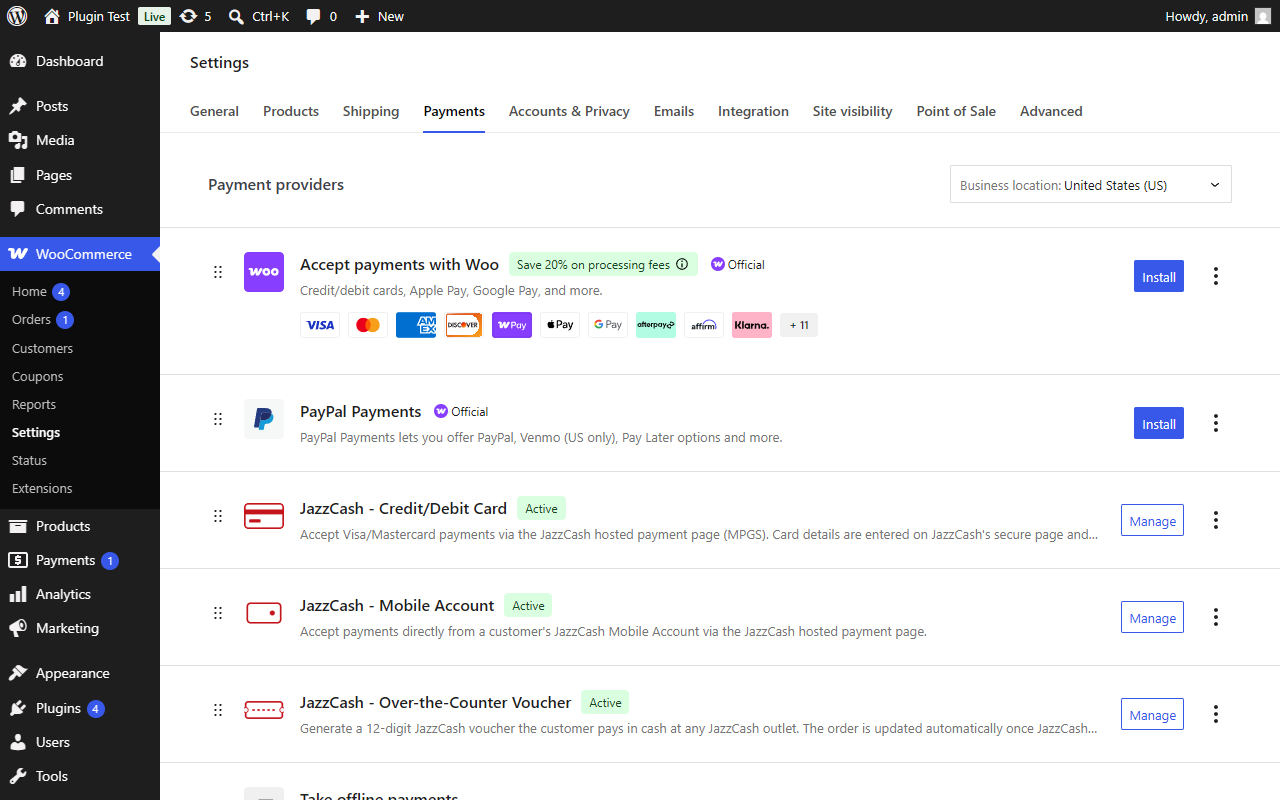
General Settings
All three JazzCash gateways, managed like any other WooCommerce payment method.
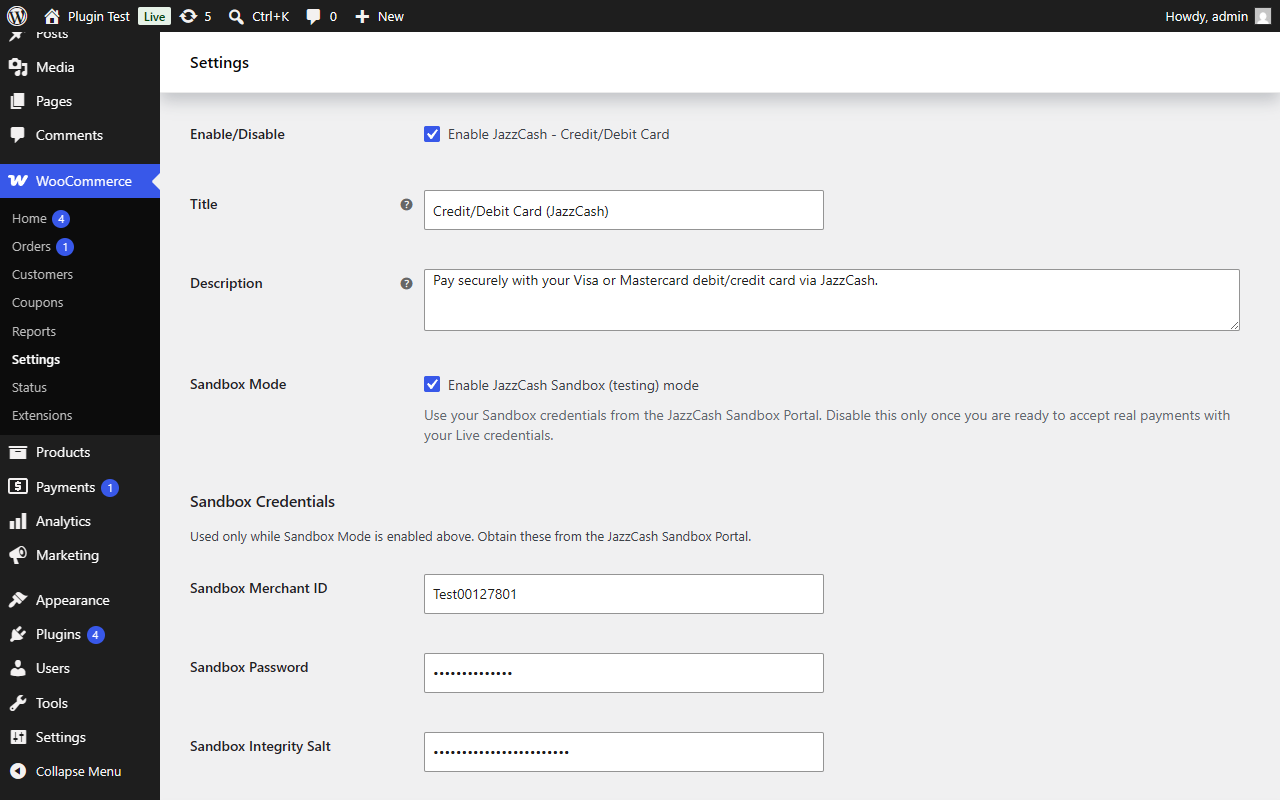
Sandbox Settings
Sandbox Mode stays visible at all times — flip it on to test, off to go live.
Live API Credentials
Separate Live fields, only shown once Sandbox Mode is switched off.
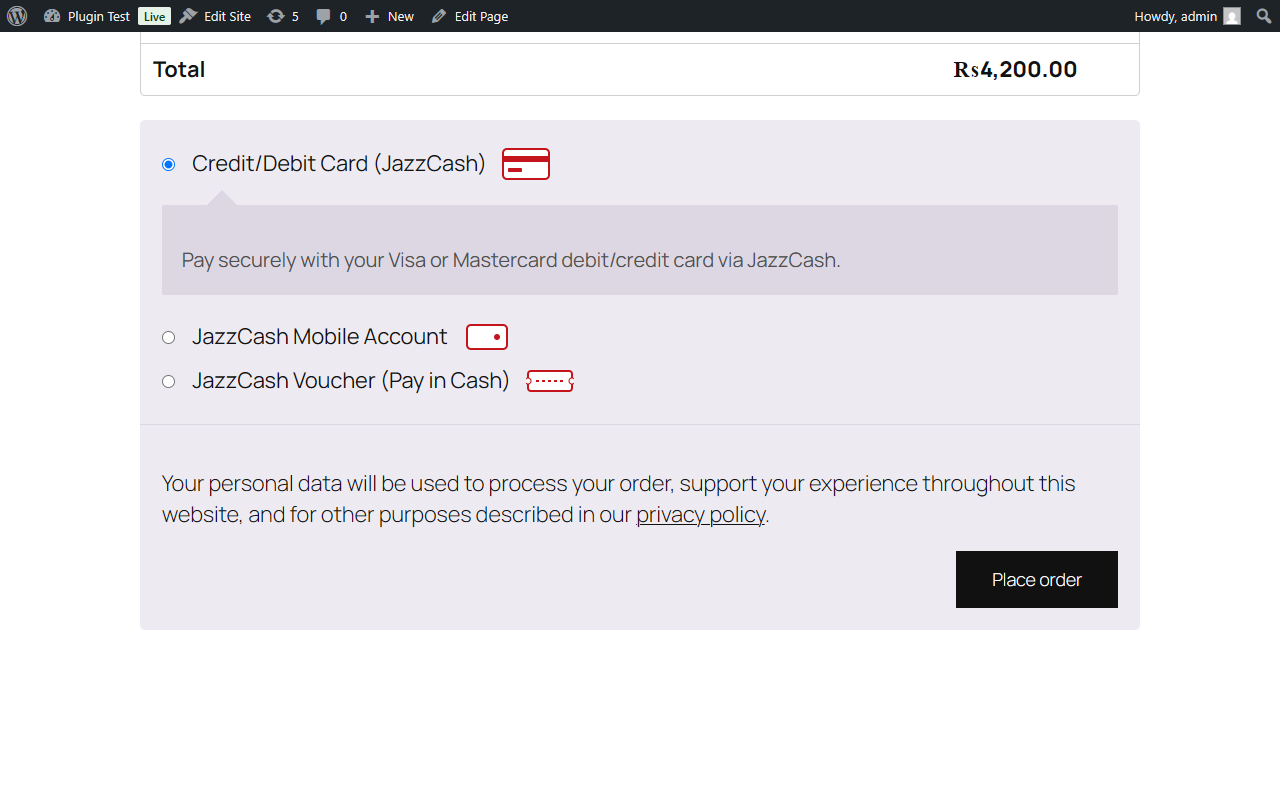
WooCommerce Checkout
JazzCash options sit natively alongside your other payment methods.
Thank you. Your order has been received.
Order #47 · Paid via Fauran PaySuccessful Payment
Customers land back on your store's own thank-you page, automatically.
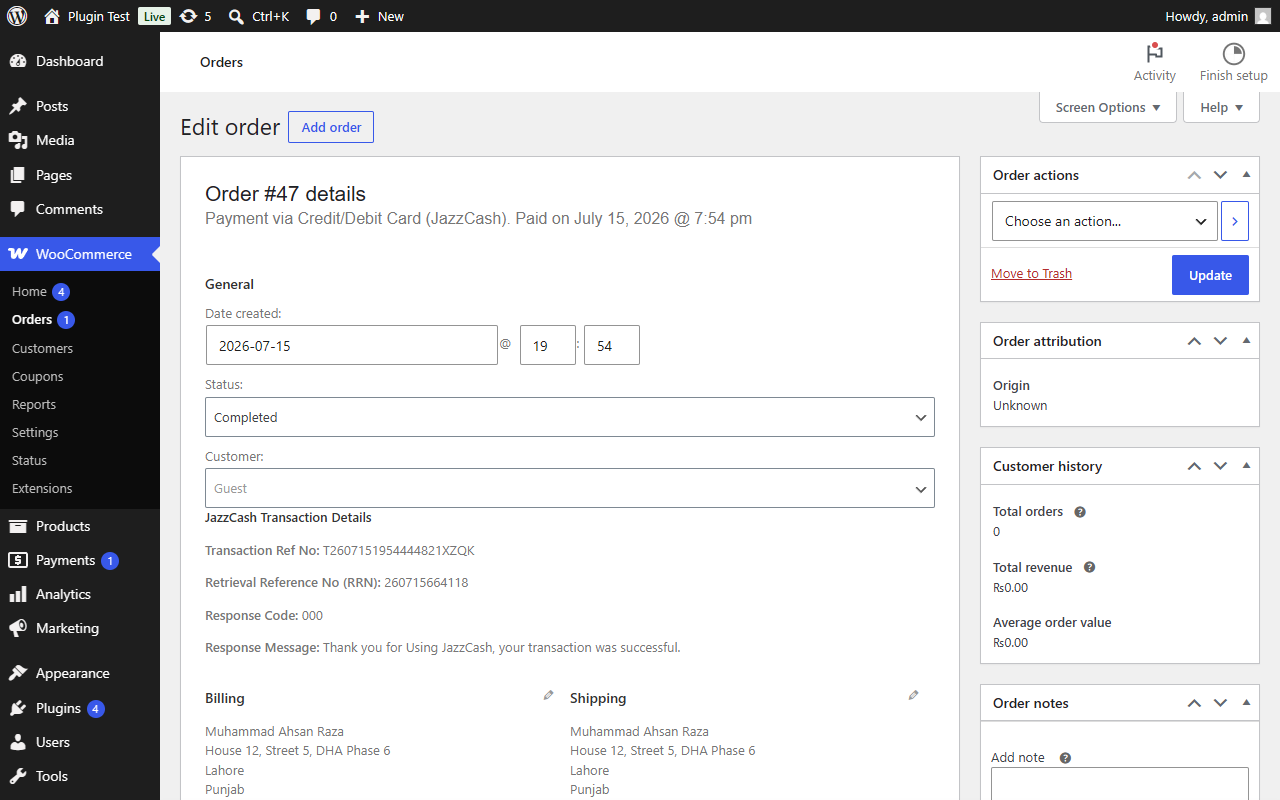
Order Details
Transaction reference, RRN, and response code — right on the order screen.
Live in about five minutes
No server config, no manual API wiring — just four straightforward steps.
Upload Plugin
Plugins > Add New > Upload Plugin, choose the ZIP, and install.
Activate
One click, and three new payment methods appear in WooCommerce.
Configure API
Drop in your Sandbox (or Live) Merchant ID, Password, and Integrity Salt.
Start Accepting Payments
Place a Sandbox test order, confirm it, then switch to Live whenever you're ready.
What your customer actually experiences
A secure round trip to the provider's hosted page and straight back to your order confirmation.
Customer Checkout
Cart, shipping, and billing — the checkout your customers already know.
Select JazzCash
Card, Mobile Account, or Voucher — customer picks what suits them.
Complete Payment
Redirected to JazzCash's own secure page — nothing sensitive touches your server.
Order Confirmed
Secure Hash verified, order updated, customer back on your thank-you page.
Built for developers who read the code
Namespaced, PSR-4 autoloaded, and written strictly against WordPress and WooCommerce's own APIs — not a quick port from another gateway.
Read the DocumentationFrequently asked questions
What is Sandbox Mode and how do I use it?
Where do I get my Live API credentials?
Does this plugin support refunds?
Which JazzCash payment methods are supported?
Is this compatible with the WooCommerce Cart & Checkout Blocks?
[woocommerce_checkout] shortcode — block-based checkout support is on the roadmap.Every setting, every field, explained.
Installation, Sandbox setup, a field-by-field settings reference, developer hooks, and troubleshooting — all in one guide.
Start building with Fauran Pay.
Read the full documentation to get set up, or browse the rest of the catalog.
“JazzCash” is a trademark of its respective owner. This is an independent, third-party plugin and is not affiliated with or endorsed by JazzCash or Mobilink Microfinance Bank.